




Discover Which Platform is the Perfect Fit for Your Growing Business in 2026
Choosing between Wix vs WordPress represents one of the most consequential decisions for business owners building their digital presence. These two platforms dominate the website creation landscape, yet they operate on fundamentally different philosophies that directly impact your ability to scale, customize, and compete online.
In this article, we’ll compare Wix and WordPress to help you determine which is the best website builder for your specific business needs, considering factors like user experience, control, and SEO capabilities.
This comparison focuses specifically on WordPress.org (self-hosted WordPress) versus Wix, targeting small to medium business owners and entrepreneurs evaluating their options for sustainable growth. We’ll examine practical business applications rather than technical minutiae, helping you understand which platform aligns with your current needs and future ambitions.
The direct answer: WordPress offers superior scalability, extensive customization, and more powerful SEO capabilities for growing businesses, while Wix provides easier initial setup but imposes significant limitations on long-term flexibility and data portability.
By the end of this guide, you’ll understand:
- The fundamental architectural differences between website builders and content management systems
- How each platform supports (or restricts) business growth at different stages
- The true cost of ownership beyond advertised pricing
- Specific scenarios where each platform excels or falls short
- A clear framework for making your decision based on growth trajectory
Understanding the Fundamental Platform Differences
Wix operates as an all-in-one website builder—a proprietary SaaS platform that bundles web hosting, design tools, security, and maintenance into seamless packages. Wix creates customizable website templates with dedicated mobile versions and user-friendly design controls, making it especially accessible for beginners. You get everything in one place, but you’re working within Wix’s ecosystem permanently.
WordPress functions as open-source software that you install on hosting you control. At its core, WordPress core serves as the fundamental foundation of the platform, and understanding it is essential for effective website management and customization. This self-hosted WordPress approach requires more initial configuration but grants complete control over every aspect of your website and business data.
This distinction matters enormously for digital strategy. Your choice determines not just how you build your site today, but how you can evolve it tomorrow.
Website Builder vs Content Management System
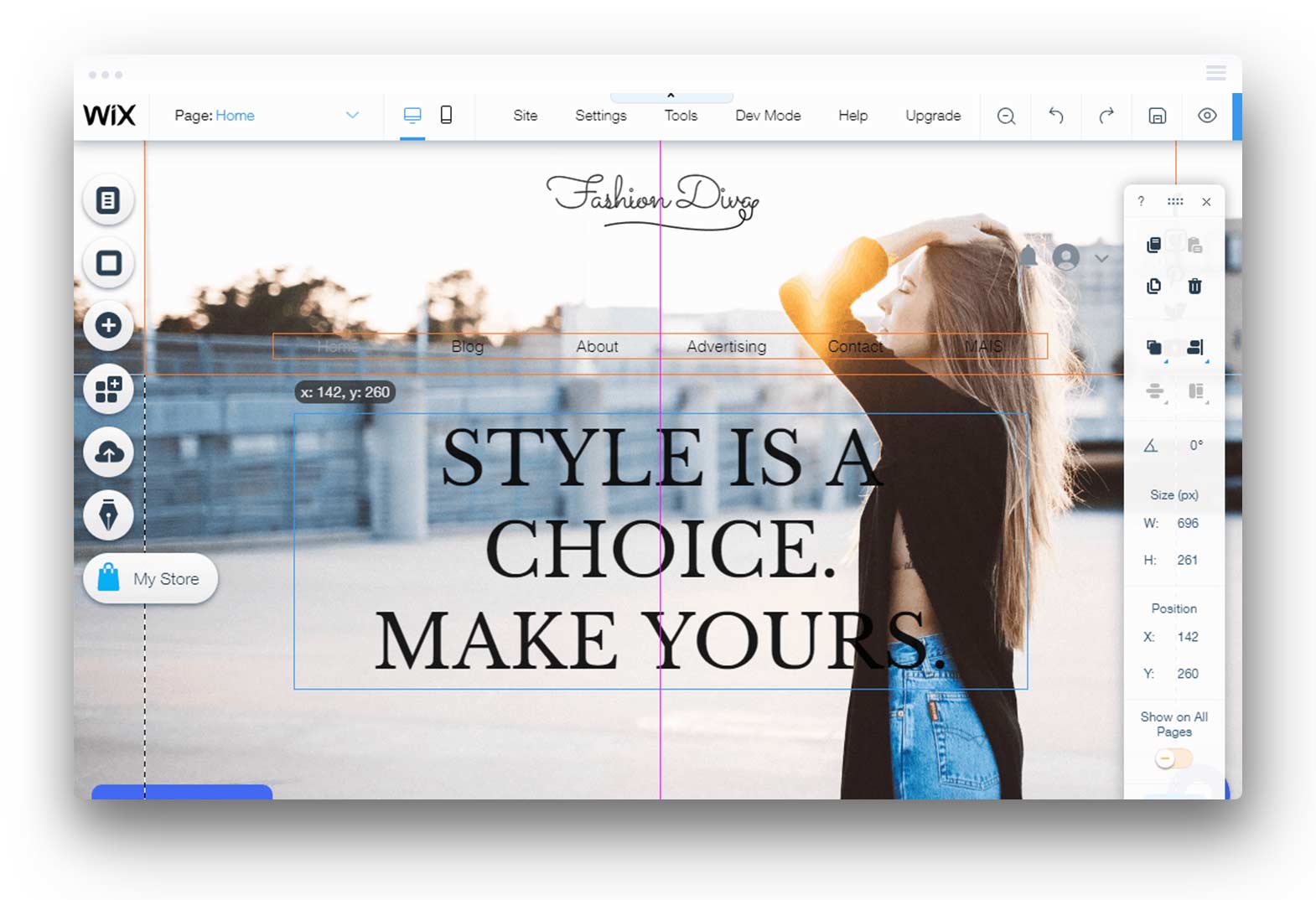
Website builders like Wix prioritize immediate accessibility. The Wix website editor features intuitive drag-and-drop functionality, allowing you to place elements anywhere on the page and see exactly what visitors will see. It’s genuinely intuitive for creating a professional website quickly.
However, this simplicity comes at the cost of restriction. Wix sites operate within template structures that limit how far you can push customization. Once you select a template, switching requires rebuilding your entire site. The Wix app market extends functionality, but options remain curated and controlled.
WordPress takes the opposite approach. As a content management system, it separates content from presentation, allowing you to change themes without losing data. The vast plugin ecosystem—exceeding 60,000 options—means you can add virtually any functionality. This flexibility requires learning the dashboard, but provides deep customization not possible with website builders.
Hosting and Ownership Models
With Wix, hosting is managed entirely behind the scenes. You never configure servers or worry about security patches. This convenience appeals to many business owners, but it means your site exists only within Wix’s infrastructure.
A self-hosted WordPress site lives on servers you choose from any hosting provider. You own your database, your files, and your complete data. It is crucial to select a reputable web hosting company, as this directly impacts your site’s performance, security, and the quality of support you receive. If you decide to move, you export everything and migrate—something impossible with Wix sites without complete rebuilds.
This ownership model directly affects business flexibility. Growing companies often need integrations, custom workflows, or enterprise features that require complete control over their hosting environment.
Core Business Capabilities Comparison
Understanding platform architecture establishes the framework, but practical business applications determine which choice serves your goals. Let’s examine how these fundamental differences manifest in daily operations and growth potential. The availability of essential tools for marketing and management is also a critical factor when selecting between Wix and WordPress.
Ease of Use and Learning Curve
Wix offers genuinely superior initial accessibility. The visual editor displays your full page in real-time, enabling pixel-perfect designs without touching code. Business owners frequently launch polished Wix sites within hours, complete with galleries, contact forms, and basic ecommerce features.
WordPress demands more upfront investment. The dashboard separates editing from preview, requiring an understanding of themes, pages, posts, and settings. Most users need several days to feel comfortable, longer to master advanced features.
However, this equation shifts with time. WordPress site owners report that once they learn the system, ongoing management becomes equally intuitive. More importantly, team scalability favours WordPress—you can assign granular user roles, delegate responsibilities, and build internal expertise that compounds over time. Additionally, more advanced users can take advantage of features like custom URL structures and deeper SEO optimization, especially on WordPress.
Design Flexibility and Customization
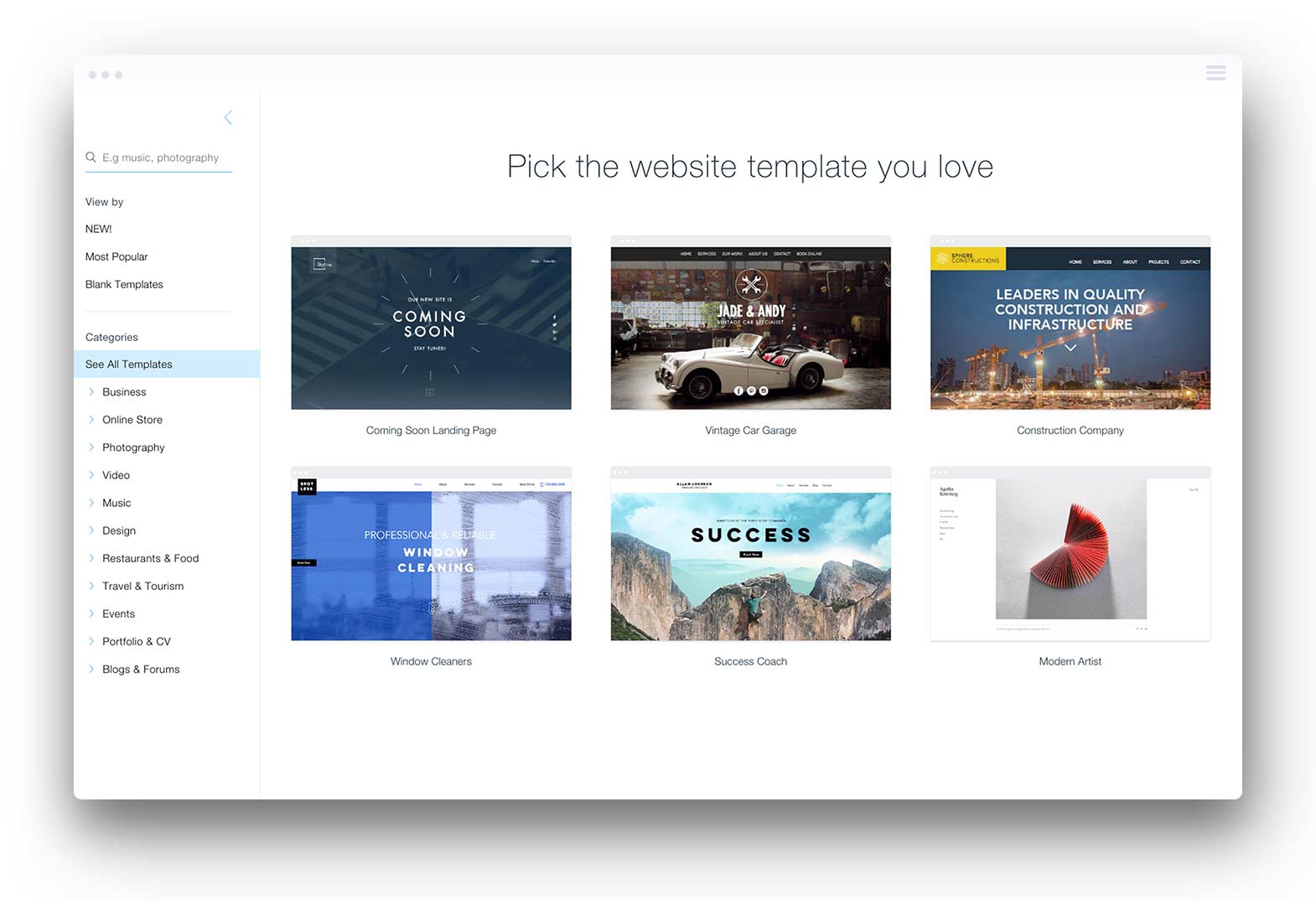
Wix offers 800+ pre-optimized templates that deliver attractive results right away. Design tools handle mobile responsiveness automatically, and the Wix Studio environment offers advanced users more control. For many small business websites, these options suffice entirely.
WordPress offers extensive customization that Wix simply cannot match. Over 10,000 WordPress themes provide starting points, but the real power lies in complete code access. Custom code modifications let you achieve any design vision. Page builders like Elementor or Divi add visual editing while maintaining WordPress flexibility.
Industry analyses consistently rate WordPress 5/5 for customization, compared with Wix’s 3-4/5. For businesses where brand differentiation drives competitive advantage, this gap matters significantly.
SEO and Marketing Capabilities with WordPress Plugins
Both platforms support search engine optimization, but their approaches differ substantially in depth and control.
Wix SEO provides guided optimization suitable for most small websites. Built-in tools handle meta tags, auto-generate XML sitemaps, implement lazy loading, and ensure mobile-first indexing compliance. The personalized SEO plan feature walks beginners through improvements step by step. Integration with Google Analytics and Google Search Console works seamlessly through the Wix dashboard.
WordPress offers superior SEO capabilities for businesses prioritizing organic growth. SEO plugins like Yoast SEO and RankMath (each with millions of installations) provide granular control over schema markup, canonicalization, breadcrumbs, and content analysis. You can customize permalink structures exactly, implement hreflang for multilingual sites, and optimize technical factors that Wix abstracts away.
Marketing tools follow similar patterns. Both Wix and WordPress support email marketing integrations and social connections to your Facebook page and other platforms. However, WordPress’s open architecture enables deeper integration with enterprise marketing stacks, CRM systems, and analytics platforms—essential as marketing sophistication grows.
Blogging and Content Creation Features
For businesses and entrepreneurs who rely on content marketing, the choice of blogging platform can significantly affect reach and engagement. Both Wix and WordPress offer blogging capabilities, but their approaches cater to different needs and ambitions.
Wix includes a built-in blog feature that’s designed for simplicity. The intuitive interface allows users to create, edit, and publish posts with ease, making it accessible even for those with no prior blogging experience. Wix’s design tools let you customize your blog’s appearance to match your brand, and you can choose from a variety of templates to get started quickly. This makes Wix a solid choice for those who want to launch a blog on their business website without a steep learning curve.
However, when it comes to advanced blogging and content creation, WordPress stands out as the industry leader. WordPress offers a robust blogging platform that has powered millions of successful blogs worldwide. WordPress site owners benefit from a vast selection of themes and plugins that extend functionality far beyond the basics. For example, plugins like Yoast SEO help optimize every blog post for search engines, offering real-time content analysis, keyword optimization, and schema markup. This level of control is essential for businesses aiming to drive organic traffic and establish authority in their niche.
Additionally, WordPress offers flexible content management, allowing you to organize posts, create custom categories and tags, and manage comments with advanced moderation tools. The platform’s open architecture means you can further enhance your blog with features like social sharing, email subscriptions, and even custom post types—capabilities that are more limited on Wix.
In summary, both Wix and WordPress provide user-friendly blogging tools, but WordPress offers unmatched flexibility, scalability, and SEO optimization for businesses serious about content marketing and long-term growth.
Custom Domain and Branding Options
Establishing a strong brand identity online starts with a custom domain and cohesive branding. Both Wix and WordPress recognize this need, but they differ in the level of control and flexibility they offer.
Wix makes it easy to connect a custom domain to your website, guiding users through a straightforward process that requires minimal technical knowledge. This is ideal for business owners who want to get online quickly with a professional web address. Wix also offers branding tools, such as a logo maker and brand builder, to help you create a consistent look across your site. These features are integrated into the platform, making it simple to manage your brand’s visual identity.
On the other hand, self-hosted WordPress sites offer greater customization for branding. While connecting a custom domain requires a few more technical steps—such as configuring DNS settings with your hosting provider—the payoff is complete control over your site’s branding elements. WordPress offers thousands of themes and plugins that let you tailor every aspect of your website, from custom logos and fonts to colour schemes and layout options. For businesses with specific branding requirements or those looking to stand out in a crowded market, WordPress offers the tools to create a truly unique online presence.
Moreover, WordPress users can leverage plugins like WP Branding to implement advanced branding strategies, ensuring every detail of their website aligns with their business identity. This level of flexibility is especially valuable for growing businesses that may need to update or expand their branding as they evolve.
In essence, both Wix and WordPress support custom domains and branding, but WordPress offers deeper customization and scalability for businesses aiming to build a distinctive and memorable brand online.
Detailed Growth and Scalability Analysis
Business capability differences become most apparent when companies scale. The platform that adequately serves a startup may constrain that same company two years later. This section examines where growth pressures expose platform limitations.
E-commerce and Online Selling
For businesses establishing an online store, platform choice significantly impacts operational capability. When building an ecommerce site, both Wix and WordPress offer distinct features and customization options. Wix provides a streamlined setup with built-in tools, while WordPress with WooCommerce allows for extensive customization and scalability.
- Wix Stores enables rapid deployment with no plugins required. You add products, configure payments, and launch quickly. The unified experience suits businesses selling under 50-100 products with straightforward needs. However, advanced inventory management, subscription models, and B2B features remain limited or unavailable.
- WooCommerce installation on WordPress requires more setup but unlocks enterprise-grade ecommerce. The platform powers approximately 28% of online stores globally, supporting everything from small shops to operations handling 100,000+ SKUs.
- Payment processing and international selling favour WooCommerce’s flexibility. While Wix offers standard gateways, WooCommerce integrates with hundreds of payment processors and supports multi-currency, regional tax calculations, and complex shipping rules essential for international commerce.
- Business integrations differentiate the platforms significantly. WooCommerce connects natively with ERP systems, inventory management platforms, fulfillment services, and accounting software. Growing ecommerce businesses consistently report feeling “boxed in” by Wix’s integration limitations once operations scale.
Performance and Speed Comparison
| Criterion | WordPress | Wix |
|---|---|---|
| Baseline Speed | Varies by hosting quality | Consistent, managed |
| Optimization Potential | Unlimited (caching, CDN, code optimization) | Limited to platform defaults |
| Hosting Control | Complete (choose any hosting provider) | None (Wix infrastructure only) |
| Advanced Optimization | Available (Perfmatters, WP Rocket, Cloudflare, image optimization) | Basic (auto-compression, lazy loading) |
| High-Traffic Handling | Scalable with premium hosting like Kinsta | Adequate for moderate traffic |
Wix delivers reliable baseline performance without configuration. The integrated CDN, automatic image compression to WebP/AVIF formats, and minified assets produce competitive speeds for typical business websites.
WordPress performance depends entirely on implementation. Poorly optimized WordPress sites on cheap shared hosting consistently underperform Wix. However, properly configured managed WordPress hosting with caching and CDN integration delivers sub-2-second load times that outperform Wix—critical for high-traffic sites where milliseconds matter for conversion rates.
Long-term Business Costs
| Cost Category | Wix | WordPress |
|---|---|---|
| Platform/Software | $0-500+/year (premium plans) | $0 (open-source software) |
| Hosting | Included | $36-1,200+/year |
| Domain | Included in premium plans | $10-20/year |
| Premium Themes | N/A | $50-200 one-time |
| Essential Plugins | Included or Wix app market | $0-300/year (many free plugins available) |
| Development Costs | Lower initially | Variable (DIY to professional web designer) |
| Total Year 1 | $150-500+ | $100-1,500+ |
| Scaling Costs | Fixed tier pricing | Scales with needs |
Wix offers transparent, predictable pricing. Premium plans include everything, eliminating surprise expenses. This simplicity attracts businesses wanting fixed budgets. While Wix offers a free plan, it comes with significant limitations, including Wix ads, no custom domain, and only basic SEO and speed features. In contrast, WordPress is open-source and free to use, but you must pay for hosting and a domain to unlock full functionality and branding, making it more suitable for long-term growth.
WordPress appears cheaper initially—the WordPress software itself costs nothing. However, secure web hosting, premium plugins, and potentially professional development add costs. Crucially, WordPress is more cost-effective in the long term for scaling businesses. You pay only for what you need, avoiding Wix’s tier-based pricing that forces upgrades for specific features.
Many businesses operate WordPress sites for under $100/year by choosing quality, budget-friendly hosting and free plugins. Others invest more strategically in premium tools that drive revenue. This flexibility, compared with Wix’s fixed structure, favours WordPress as complexity grows.
Have you outgrown your current CMS platform? Talk to our WordPress Designers for a Free Quote.
Get a Quote
Common Business Challenges and Platform Solutions
Every platform presents obstacles. Understanding common challenges helps you anticipate issues before they constrain growth.
Outgrowing Platform Limitations
Wix migration difficulties represent perhaps the most significant long-term risk. If your business outgrows Wix’s ecosystem—needing advanced features, custom integrations, or specific performance requirements—you cannot export your site. Migration to WordPress or any other platform requires complete rebuilding.
WordPress offers inherent portability. Your database, media files, and content export cleanly. Switching hosting providers takes hours. This escape route provides insurance against future needs you cannot predict today.
For businesses unsure of future requirements, WordPress’s open architecture eliminates platform lock-in entirely.
Team Collaboration and Multi-user Management
Wix provides basic collaboration through role assignments and editing permissions. Teams can work together adequately for straightforward content management.
WordPress offers granular user role management, which is essential for complex organizations. Administrators, editors, authors, and contributors have distinct capabilities. Premium plugins extend this further—restricting access to specific content types, requiring approval workflows, or logging all changes for compliance.
As teams grow, WordPress’s permission architecture prevents unauthorized changes while empowering appropriate delegation—capabilities that Wix’s simpler model cannot match.
Integration with Business Tools and Wix App Market
Modern businesses depend on interconnected systems. Your website must communicate with CRM platforms, email marketing services, analytics tools, and operational software.
Wix integrates with popular services through its app market, covering common needs adequately. However, niche tools, custom APIs, and enterprise systems often lack native support.
WordPress’s vast plugin ecosystem connects with virtually any business tool. HubSpot, Salesforce, Mailchimp, and thousands of other platforms offer dedicated WordPress plugins. Where plugins don’t exist, WordPress’s open architecture allows custom code integration—impossible within Wix’s controlled environment.
For businesses building sophisticated marketing stacks or operational workflows, WordPress integration capabilities prove essential.
Social Media Integration and Marketing Reach
Expanding your business’s reach and engaging with your audience across multiple channels is essential in today’s digital landscape. Both Wix and WordPress offer social media integration tools, but their depth and flexibility vary.
Wix offers a built-in social media manager that allows you to connect your website to your social profiles, schedule posts, and monitor engagement—all from within the Wix dashboard. This integrated approach is convenient for business owners who want to manage their online presence without juggling multiple platforms. Wix SEO and Wix Marketing tools also help boost your site’s visibility and support basic email marketing campaigns, making it easier to reach new customers.
WordPress, however, takes social media integration and marketing to the next level. The platform’s vast plugin ecosystem includes powerful tools such as Social Warfare and Monarch, which offer advanced social sharing features, customizable share buttons, and detailed analytics. WordPress site owners can also integrate email marketing services such as Mailchimp, automate social media posting, and use plugins like Yoast SEO to optimize content for both search engines and social platforms.
Additionally, WordPress offers seamless integration with Google Analytics, giving you in-depth insights into your website visitors, traffic sources, and engagement metrics. This data empowers you to refine your marketing strategy and maximize your reach. For businesses focused on growth, the ability to connect with a wide range of marketing tools and platforms is a significant advantage.
While both Wix and WordPress support social media integration, WordPress offers more advanced marketing tools, deeper analytics, and greater flexibility for businesses looking to expand their online presence and drive sustained growth.
Conclusion and Strategic Recommendations
The Wix vs WordPress decision ultimately reflects your growth ambitions. Wix excels at getting businesses online quickly with minimal technical knowledge. Its built-in tools, managed security, and predictable pricing serve static or slowly-evolving websites well.
However, businesses planning significant growth should choose WordPress. The platform’s flexibility, scalability, and extensibility support evolution from simple sites to sophisticated digital operations. WordPress powers over 43% of all websites—including enterprise operations at The New York Times, Sony Music, and countless successful ecommerce operations—because it grows with businesses rather than constraining them.
Immediate next steps:
- Evaluate your 2-3 year growth trajectory. If you anticipate significant scaling, complex integrations, or advanced e-commerce needs, WordPress is likely a better fit despite the steeper initial learning curve.
- Assess your technical comfort honestly. If absolute ease matters more than flexibility, Wix gets you online faster. If you can invest time learning (or hire expertise), WordPress rewards that investment.
- Choose appropriate WordPress hosting if proceeding. Quality hosting providers eliminate most technical burdens while preserving WordPress advantages. Managed WordPress hosting from reputable providers combines the power of WordPress with the convenience of Wix.
For businesses currently on Wix and experiencing limitations, planning a migration sooner rather than later prevents the accumulation of content that becomes harder to transition.
Related topics worth exploring include WordPress hosting comparisons (selecting the right hosting provider), migration strategies for Wix-to-WordPress transitions, and WooCommerce optimization for businesses prioritizing ecommerce functionality.
Frequently Asked Questions About Wix vs Wordpress
Migration is possible but requires rebuilding your site from scratch. Wix does not allow content export in formats WordPress accepts. You’ll need to manually recreate pages, reupload media, and redirect URLs. Many businesses report spending 20-40 hours on migration—significantly more than an initial WordPress setup would have required. If growth seems likely, starting with WordPress avoids this pain entirely.
Realistic budgets range from $100 to $500/year for simple business sites using quality shared hosting, a custom domain, and free plugins. More sophisticated setups with premium themes, paid plugins for advanced features, and managed WordPress hosting run $500-1,500/year. Enterprise sites that require custom web design and development require a more substantial investment. Crucially, you control spending—unlike Wix’s fixed tiers.
Modern WordPress has improved dramatically. Block-based editing (Gutenberg) offers a visual editing experience similar to website builders. Page builders like Elementor offer true drag-and-drop interfaces. Most business owners achieve a comfortable level of proficiency within 1-2 weeks. The learning investment pays dividends through capabilities that are not possible on simpler platforms.
WordPress offers superior SEO capabilities for businesses prioritizing organic search. Plugins like Yoast SEO provide granular control over technical optimization, content analysis, schema markup, and advanced features like hreflang for multilingual sites. Wix’s built-in SEO tools adequately serve basic needs but lack depth for competitive search engine optimization strategies.
Quality WordPress hosting from established providers costs $10-30/month for most business sites. Look for included SSL certificates, automatic backups, adequate storage, and responsive support. Managed WordPress hosting from companies specializing in the platform eliminates most technical maintenance while providing optimized performance—a worthwhile investment for serious business websites.